
Many people have the mistaken idea that Apple devices are completely safe from cyber attacks, but that’s simply not true.
Even the best devices have loopholes that can be exploited, either due to their design or put in place accidentally by the owner.

The level of attack and the targeted person might vary from one case to another, but the end results can lead to data theft, financial scamming or cyberbullying.
To protect yourself and your kids, keep these digital safety tips for families in mind when setting up your Apple devices.
Set Strong Device Locks
Your device lock is the first line of defense in ensuring you don’t leave yourself vulnerable.
If your passwords are easy to guess, it doesn’t matter how secure the device claims to be.
Setting strong passwords and turning on features like Face ID or Touch ID adds an important layer of protection.
Even though macOS software does a good job in blocking malware, a lack of strong passwords on the device leaves it exposed to the attackers.
Make sure your whole family is aware of the importance of setting up strong device locks.
Simple Habits To Help Improve Security
- Use long, unique passwords.
- Consider using a password manager to help create complex passwords.
- Turn on Face ID or Touch ID where possible.
Use Built-In Parental Controls
Apple has a strong set of parental control tools available through its Screen Time feature.
By using the Apple parental controls guide, you can configure things like:
- App usage limits for things like social media, gaming, and streaming
- Content filters, to ensure age-appropriate content for kids
- Purchase restrictions to avoid the risk of accidental buying
- Downtime schedules for device-free hours
- Communication limits for chats and video calls
By being able to set different limits and monitor your child’s device usage, you can help ensure their online safety.
Keep Devices Updated
To ensure the features that make Apple such a secure choice are working as they should be, don’t ignore software updates.
These updates are often used to patch vulnerabilities that attackers could potentially exploit.
Keep the option to automatically update iOS and macOS active.
The latest software version will protect you from various issues, from malware to compatibility issues.
Enable Privacy and Location Controls
To control what data the apps on your devices access, review them regularly. When possible, allow only necessary permissions and turn off all others.
Make the most of the various iOS safety features to help keep your family’s personal information safe.
This is how blocking various permissions contribute to the digital safety of your family:
- Location – Prevents real-time tracking
- Camera and Microphone – Reduces unauthorized recording risks
- Contact List – Protects personal and family details
- App Tracking – Limits data sent to advertisers
Educate Kids About Digital Safety
One of the best digital safety tips for families to ensure everyone is protected is to make sure kids have a solid grasp of what digital safety means.
This means making kids aware of the latest cyber threats, and what role each family member can play in protecting themselves and others.
Educate them on topics like:
- How online scams work
- How to identify AI videos and images
- How to verify people on social media
- What to share and not to share with friends
- Steps to take if they come across a scammer
It’s also worth teaching them to pause and consider, is public Wi-Fi safe before connecting at a cafe, library, or on a school trip, since those open networks are an easy place for someone to intercept what your family sends.
Online safety can be a lot easier with the right tools and security features on your device, but smart online habits are also essential for total digital security.
Manage App Downloads and Permissions
It’s only natural for kids to enjoy downloading apps on their own, whether it’s a free game, a movie, or an editing tool.
But, those downloads can potentially make your device vulnerable to cyber threats, or expose your kids to harmful content.
When downloading apps, only the App Store should be used. All other content, including music or television shows, should come from trusted websites.
Parents can use App Store restrictions to set approvals on what to allow and what to block.
Discourage the use of third-party stores or direct downloads, as they do not offer apps with Apple’s notarization process.
Keep Shared Devices and Family Accounts Secure
It’s common for parents with kids to use a common Apple ID rather than setting one up individually for each family member.
But, if it’s not managed properly, the devices get exposed to additional cyber risks.
To improve shared device-related security, follow these simple steps:
- Set two-factor authentication (2FA) for all accounts.
- Regularly review account activity on all the devices.
- If any of the devices are no longer in use, ensure they’re properly logged out.
Monitor Usage Regularly
One of the most important digital safety tips for families is also one that requires a little delicacy, especially for families with teens: monitoring useage.
The best way to do this effectively is to remind your child that you’re not trying to invade their privacy. You simply want to ensure their safety.
Let them know you’ll be checking Screen Time reports regularly to help ensure the entire family is protected against digital risks.
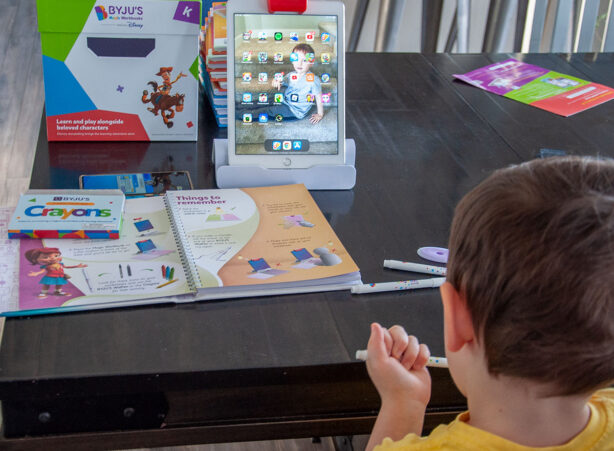
A strong combination of online tools, information and good digital habits keeps everyone in the family safe from cyber risks.
Whether you’re watching a movie or researching a topic, using your Apple phone, iPad, or other device is a fun and rewarding experience.
And, knowing that you have a safe online environment elevates the experience even further.