
The very idea that playing online games, something that’s supposed to be just be a fun hobby for your child, can actually be dangerous can feel a bit mind-boggling.
But, in our connected world, being online can have dangers as well as benefits. And, that means you need to take measures as a parent to keep your kids safe.
So, when your child asks if they can play Fortnite, Minecraft, or Roblox with their friends after school, you might have some mixed emotions.
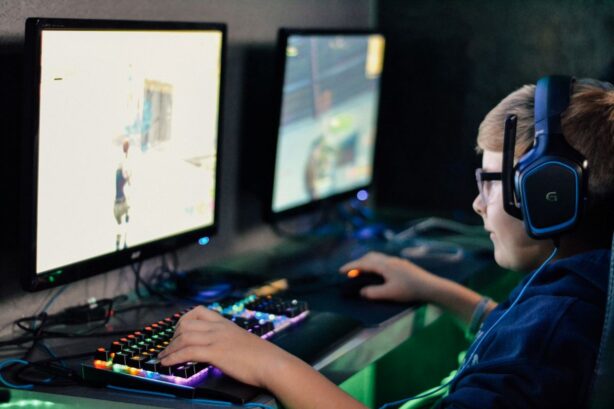
You may feel happy they’re home, safe, building problem-solving skills, and connecting with friends.
At the same time, you can’t ignore the news stories you’ve heard about the predatory things that can happen on those platforms.
You can’t realistically ban your child from playing games until they’re adults. What you can do is set a few simple rules to help keep them safer online.
The Importance of Keeping Kids Safe Online
You may have come across stories about serious safety concerns in online games, like the recent sexual abuse cases involving Roblox interactions.
It’s enough to make any parent wary of letting their child interact online. Nobody wants predators anywhere near children, and it’s your job to keep your child safe.
The problem isn’t necessarily the games themselves; it’s knowing what you can do to protect your kids when they’re online.
Start with these practical steps you can take to ensure that your kids can enjoy playing online with their friends safely.
Check and Change Settings Before Kids Start Playing
Most games come with default settings in place. The problem is that some platforms’ settings may be more appropriate for older users.
For example, some platforms may allow strangers to send friend requests or direct messages to your child unless you change those settings.
The good news is that the most popular gaming systems and online games do have robust parental controls built in, if you take the time to put them in place.
Start by checking to see who can send friend requests to your child.
While not allowing any friend requests may be the safest option, it does cut off the social aspect of online gaming.
Instead, look into setting up mandatory verification for friend requests, so that you can vet any requests and ensure your child actually knows the player.
Message settings are also worth double-checking.
Decide who can message your child and who your child can message. Setting messages to “friends only” or even turning it off completely is one of the safest options.
Finally, review profile visibility. Some games display usernames publicly, and in certain cases, even location data.
It’s a good idea to limit or turn off anything that shares personal information.
Keep Screens Where You Can See Them
For the most part, there’s no need to constantly hover over your child, monitoring every move they make.
But, by having your child’s gaming area set up in a public space, you’ll be able to keep a casual eye on their activity.
For younger children, this is a great way to keep an eye on their playing so you can teach them to play responsibly and follow basic online safety rules.
Older children that may be tempted to ignore your rules, on the other hand, will know that you can see what they’re doing at any moment, encouraging more responsible behavior.
Make sure your kids know that you’re not trying to invade their privacy, but simply ensuring that they’re being safe when interacting with others online.
Be Clear About Who Your Child is Allowed to Play With
Not every stranger is dangerous, and not every person your child meets online has bad intentions.
Still, it’s important to set clear boundaries to ensure that your child’s chances of meeting a predator are as slim as possible.
The best way to do this is with a simple rule: only interact online with people they actually know in person.
If they meet someone in a game, that person shouldn’t be added as a friend, joined in private servers, or communicated with through voice chat.
Often, this can be a little confusing for younger kids, since the people they meet online will likely be friendly and seem nice.
Explain in terms your child can understand that people they don’t know in real life may be very nice, but since they’re still strangers, it’s important to be cautious.
Help Kids Understand the Reason Behind the Rules
If your kids don’t understand the purpose behind the rules you put in place, they may feel more controlled than protected.
So, take the time to explain to your child why you’ve put the rules in place.
Remember to keep the discussion age-appropriate.
You don’t want to scare younger children away from the online world completely, simply make them aware that they should protect themselves from strangers online the same way they do in real life.
As kids get older, you can have more in-depth discussions about topics like online bullying, sexting, and encountering potential online predators.
By having open and honest discussions with your kids, they’ll be more likely to trust you, and come to you if they do encounter a suspicious situation online.

Ultimately, keeping your child safe when gaming online isn’t about eliminating every risk.
Instead, it’s about giving them the tools, boundaries, and awareness they need to navigate those risks confidently.
Just like any life skill, teaching your kids to play online safely takes time, guidance, and ongoing conversations.
When you stay involved, you create a situation where your child can enjoy gaming, connect with friends, and build independence, knowing you’re there to keep them safe every step of the way.