
With school almost back in session, having the latest tech gear to help stay connected can make life easier for parents and kids both. And this year Samsung has the perfect back-to-school solution for any family with the Samsung Galaxy Tab4 tablet!
This tablet features a vivid WXGA display with a 16:10 screen ratio that makes it perfect for watching videos, playing games and sharing content. And while it’s lightweight enough to take anywhere, it’s also solid enough that you won’t panic when the kids borrow it.
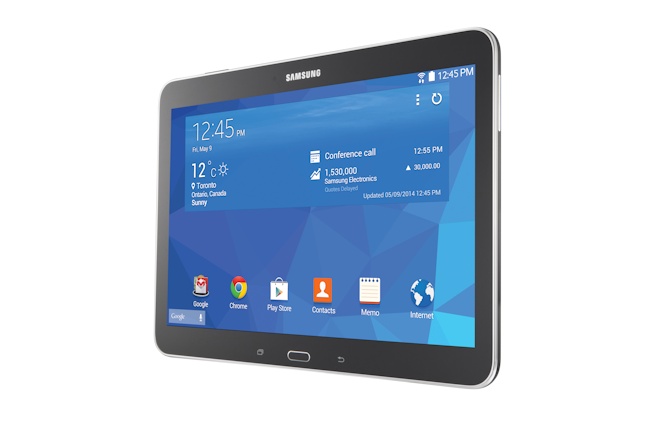
Even better, the Tab4 allows you to create a custom profile for each family member so that no matter who’s using the tablet, the experience is personalized to suit the user. Considering my love of social media apps and my boys’ love of games, this is a feature that I would absolutely love to have on a tablet!
Top that off with a multi-window option that lets you seamlessly switch between apps and windows at the same time and you’ve got a tablet that’s fun and functional whether you’re using it for keeping track of your family’s schedule or giving it to your children to help them study. Now that’s a handy back-to-school device!
But it gets better! Samsung Canada wants you to be ready for the busy school days ahead so the company is very generously offering one lucky Mommy Kat and Kids reader their very own Samsung Galaxy Tab4 10.1-inch tablet, a $370 value! To enter to win, just leave a blog comment about which feature of the tablet you would find most handy.
This device is the perfect multi-tasking superhero for all your back-to-school tasks and with a design that makes it perfect for multiple users, it’s a perfect addition to any busy family. Find the Samsung Galaxy Tab4 in stores across Canada now!
a Rafflecopter giveaway
My favourite feature is the “Multi Window” which will allow me to watch movies, check e-mail, shop online, and chat with friends on a single screen! That’s seriously awesome!!
The multi-window function
I love that I would be able to view Word, Excel, and PowerPoint documents on the go with Hancom Viewer, and that if I wanted to edit these documents I could download the Hancom Editing Tool from Samsung Apps to do so. When I travel I need access to my Word and Excel docs, and it would be great to be able to do so on my tablet.
i like the multi window.
Removable Storage. Small thing but very useful
I love that it can have custom profiles for everyone in my family!
I love the size! it’s purse friendly!
I like the multi-user mode!
Very portable…perfect for taking on the go!
i like the Multiple Users that would defiantly come in handy